Stop Fighting the Screen, BUT Turn Your Student’s Technology Time Into Learning Time
By Xogos Gaming · September 14, 2026
The Screen Is Not the Real Question
For many homeschool parents and educators, screen time can feel like a constant battle. We tell students to put down the phone, turn off the game, close YouTube, and get back to learning. Yet technology is also where students write papers, research history, learn coding, create artwork, communicate, design projects, watch scientific demonstrations, and explore places they may never be able to visit in person. The same device that can waste three hours can also help a student discover a future career.
That means the better question may not be, “How much screen time does my student have?” but, “What is my student doing with that screen time?”
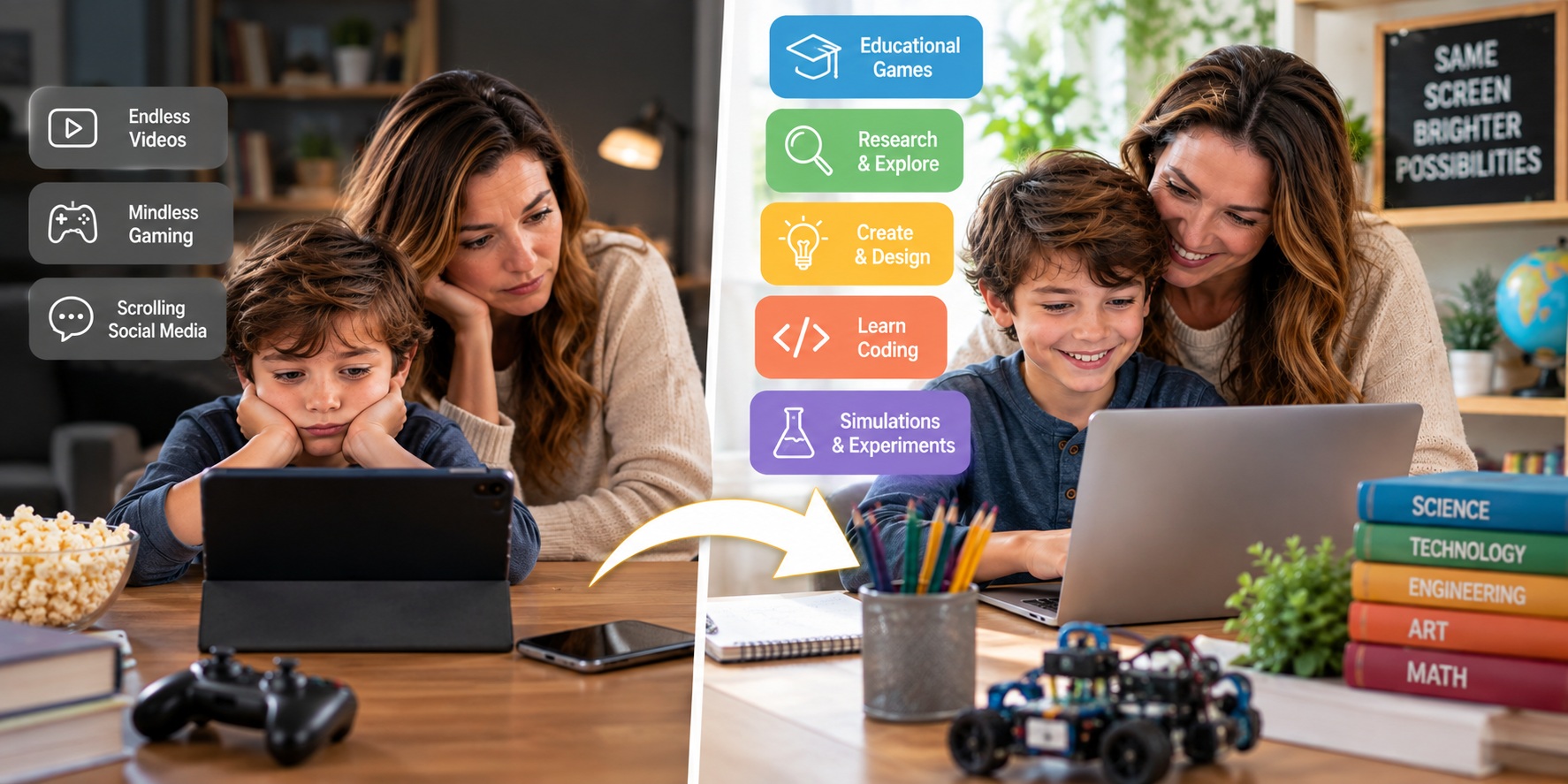
There is an enormous difference between endlessly scrolling through short videos and spending an hour programming a game. Watching random videos is different from researching volcanoes and then building one. Mindlessly playing an entertainment game is different from using a simulation that requires mathematics, strategy, science, or financial decision-making. Screens are tools, and like most tools, their value depends heavily on how they are used.
Passive Consumption vs. Productive Technology
Parents don't need to treat every minute in front of a screen equally. A helpful first step is separating primarily passive consumption from more active, creative, or educational experiences.
Passive technology often asks very little from the student. The next video plays, the next post appears, and entertainment continues with almost no effort. Productive technology requires the student to think, decide, investigate, solve, create, communicate, or practice.
Ask yourself what your student is doing:
- Consuming: scrolling, watching, clicking, or being entertained.
- Learning: researching, practicing, reading, experimenting, or exploring.
- Creating: coding, writing, designing, drawing, editing, building, or producing.
- Applying: using knowledge to solve problems, run simulations, make decisions, or complete projects.
- Connecting: appropriately collaborating with teachers, classmates, friends, or family.
Not every entertainment experience is bad. Children need recreation too. The goal is balance. If three hours of technology consisted of creating a short documentary, researching the American Revolution, programming a simple game, and playing an educational adventure, that is very different from three hours of endless scrolling.
Turn Students From Consumers Into Creators
One of the best changes parents can make is moving children from digital consumption to digital creation. Instead of only watching videos, have them create one. Instead of only playing games, let them learn how games are designed. Instead of looking at websites, introduce them to coding or web design. Instead of simply using artificial intelligence to produce an answer, teach them to question it, verify information, improve their own work, and understand how these tools function.
A student interested in history could research a historical figure and create a podcast. A child interested in science could record an experiment and explain the results. A student fascinated by games could learn basic programming and design a simple game. An artistic child could learn digital illustration or animation. A teenager interested in entrepreneurship could create a fictional company, design its logo, develop a budget, build a website, and write a marketing plan.
Suddenly, screen time isn't merely occupying the student.
The student is producing something.
Games Can Become Learning Laboratories
Games can be particularly useful because well-designed games naturally encourage experimentation. Players make decisions, experience consequences, adjust strategies, and try again. That cycle can reinforce learning when the educational content is genuinely connected to the gameplay.
Imagine an adventure where progressing requires mathematics. Instead of solving equations merely because a worksheet says to, students need mathematical reasoning to accomplish a goal. A geology game could let students dig through layers of the Earth, identify rocks and minerals, and explore geological processes. A financial simulation could give students income and require them to manage housing, transportation, taxes, savings, debt, and unexpected expenses.
Students may be having fun, but underneath that experience they can be practicing problem-solving, retrieval, decision-making, persistence, and application.
The important distinction is that simply calling something an "educational game" doesn't automatically make it effective. Parents should ask: What is my student actually practicing? What decisions are they making? What knowledge are they retrieving? What will they know or be able to do afterward that they couldn't do before?
Use Technology to Launch Real-World Learning
Some of the best screen-based lessons should eventually lead students away from the screen.
A student watches a chemistry demonstration and then conducts a safe experiment. They research vegetable gardening and then plant a garden. They learn about local geology and then go rock hunting. They study percentages online and then calculate discounts at a store. They research a historical battlefield and then visit it. They watch instructions for building a birdhouse and then walk into the garage and build one.
Homeschool families are particularly well positioned to do this because education doesn't have to end when the computer closes.
Try this three-step approach:
- Discover it on the screen. Research, watch, simulate, play, or investigate.
- Do it in the real world. Build, visit, experiment, interview, volunteer, cook, calculate, explore, or create.
- Teach it afterward. Have the student explain what happened, write about it, make a presentation, or teach another family member.
Now technology isn't replacing real life. It is launching students into it.
Teach Students to Control Technology
Our children are growing up in a world of artificial intelligence, online communication, video, digital entertainment, remote work, and rapidly changing technology. Completely avoiding screens won't necessarily prepare them for that world. They need opportunities to develop judgment and self-control around technology.
Parents can gradually teach students to ask, “Why am I opening this device?” If the answer is to complete an assignment, create something, communicate with someone, research a question, or intentionally enjoy some recreation, there is a purpose. If they opened the device out of habit and suddenly discover that 45 minutes disappeared, that's an opportunity to discuss how technology can compete for their attention.
Families can also create practical boundaries: device-free meals, outdoor time, exercise, chores, reading, family activities, sleep routines, and periods when technology is intentionally put away. These boundaries don't teach children that technology is evil. They teach something much more valuable:
Technology has a place, but it doesn't get every place.
A Simple Screen-Time Test for Parents
Instead of counting every screen minute the same way, periodically ask four questions:
- What is my child doing? Are they consuming, learning, creating, or solving?
- What are they gaining? Knowledge, skills, creativity, relationships—or simply more entertainment?
- What is the screen replacing? Sleep, exercise, chores, outdoor activity, family time, reading, or nothing particularly important?
- Can this digital experience lead to something in the real world? A project, experiment, conversation, activity, skill, business idea, or new interest?
Those questions create a much richer picture than simply saying, "You have already had two hours of screens today."
Why This Matters to Xogos
This philosophy is one of the reasons we are building Xogos Gaming. We know students want to play games and use technology. As parents and educators, we can spend all of our energy fighting that reality—or we can work to create better choices within it.
Xogos is designed to bring K–12 subjects into experiences students can enjoy. An adventure can reinforce mathematics. Exploration can introduce geology and Earth science. Games can introduce history, science, geography, personal finance, and other subjects. Online elective courses can expose students to interests and potential careers they may want to pursue further.
But the ultimate goal shouldn't be keeping children on Xogos—or any other screen—all day. I want students learning on the computer and then going out and doing something with what they learned. Build something. Read a book. Start a project. Volunteer. Exercise. Explore nature. Create a business. Help someone. Talk with their family.
The future doesn't belong to children who simply know how to stare at screens. It will increasingly belong to young people who know how to use technology as a tool—and also know when to put it down.
So perhaps we don't need to fight every screen.
We need to teach our children to make their screen time worth something.